Invoice
One invoice per customer
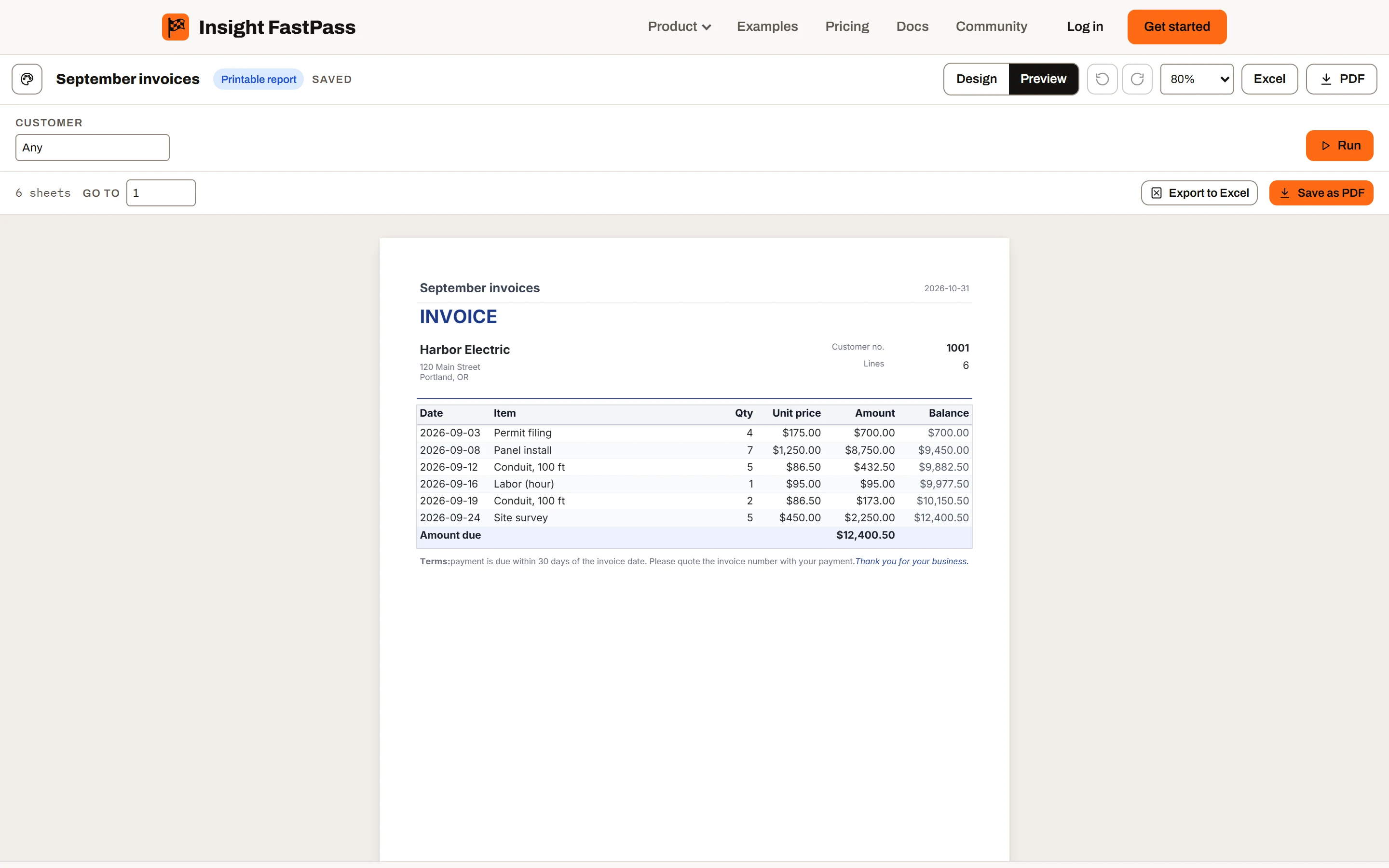
The address block, the lines, a running balance and the amount due, with each invoice on its own sheet and its terms at the end.
BetaFree accounts and the desktop app are available now. Paid plans, with reports on the web, sharing and live connections, launch once enough people ask for them. Express your interest
Printable reports Every plan · delivery on Ultimate
Available now in the desktop app Design invoices, statements and lists, and print them as PDF or Excel, in the desktop app today. Sending them by email on a schedule comes with the full release.
Six starter templates, tables that flow across as many sheets as the data needs, and a PDF made from the same layout as the preview, so a line never breaks differently on paper. Pick the customer or the date range, and the whole document follows.
Design one on any plan, even before you sign up. Saving needs Mini or above, and scheduled delivery needs Ultimate. The desktop app designs them with no account.
Six starting points
Pick a template when you make the report, or add one later from the designer’s Insert tab. Each finds the columns it needs by their names, and tells you which ones it’s missing.
Invoice
The address block, the lines, a running balance and the amount due, with each invoice on its own sheet and its terms at the end.
Customer statement
A statement per customer with a running balance and the balance due, each customer starting on a new sheet.
Accounts receivable aging
Open amounts by customer in Current, 1–30, 31–60, 61–90 and over 90 days, with customer subtotals and a grand total.
Purchase order
The vendor, the dates, the lines with quantities and costs, and the order total, each order on its own sheet.
Inventory list
Quantity on hand and value for every item, with anything at or below its reorder point highlighted.
Job cost
By job and cost code, with the variance, the share of the budget used and every overrun highlighted.
The designer
A printable report is a stack of bands. Inside a band you drag boxes wherever you want them; between bands, a taller one pushes the rest down the page. Switch to Preview and you see every sheet with your data.
Delivered on a schedule Ultimate
Every send keeps the data as it was at that moment. Each address is checked before anything goes out, and one that can’t open the report is skipped, so a schedule never hands anyone rows they couldn’t see themselves.
Coming soon: The schedule dialog of a printable report, with recipients, a parameter per recipient and the delivery history underneath
Out of the designer
Made in your browser from the same layout as the preview, with the fonts embedded, text you can select and search, and links that click. Named sheets get page labels and bookmarks.
Excel
Built from the tables, not the page: typed cells, outlined groups that collapse, subtotals as SUBTOTAL formulas, and a worksheet per group when groups are named.
.rdl
Upload an .rdl file with its subreports and shared datasets, and it becomes a printable report. You choose the data each dataset reads, and notes list what to finish by hand.
No. Open the demo designer, or choose Printable report when you try Insight FastPass with a spreadsheet. Nothing is saved until you sign up, and saving needs Mini or above.
Yes. One layout engine places every line and page break, and the preview and the PDF both draw what it placed. A scheduled file is made by the same engine.
Each recipient sees only the rows their own access allows, in the link and in the file, never the rows of whoever set up the schedule. An address without access to the report is skipped until you share it with them.
Yes. Upload an .rdl file on Mini, Plus or Ultimate, or open it in the desktop app with no account. It arrives with its layout, parameters and datasets, and notes on what was left out or approximated.
The fonts that come with Insight FastPass, in Latin characters. They are embedded in every PDF, so the file looks the same on any computer. Fonts installed on your computer can’t be used.
Open the demo designer now, try Insight FastPass free with your own spreadsheet, or read your database from the free desktop app.